HomeApp tour
RFM settings
Change how customers are put into RFM segments.
Where: Settings, then RFM.
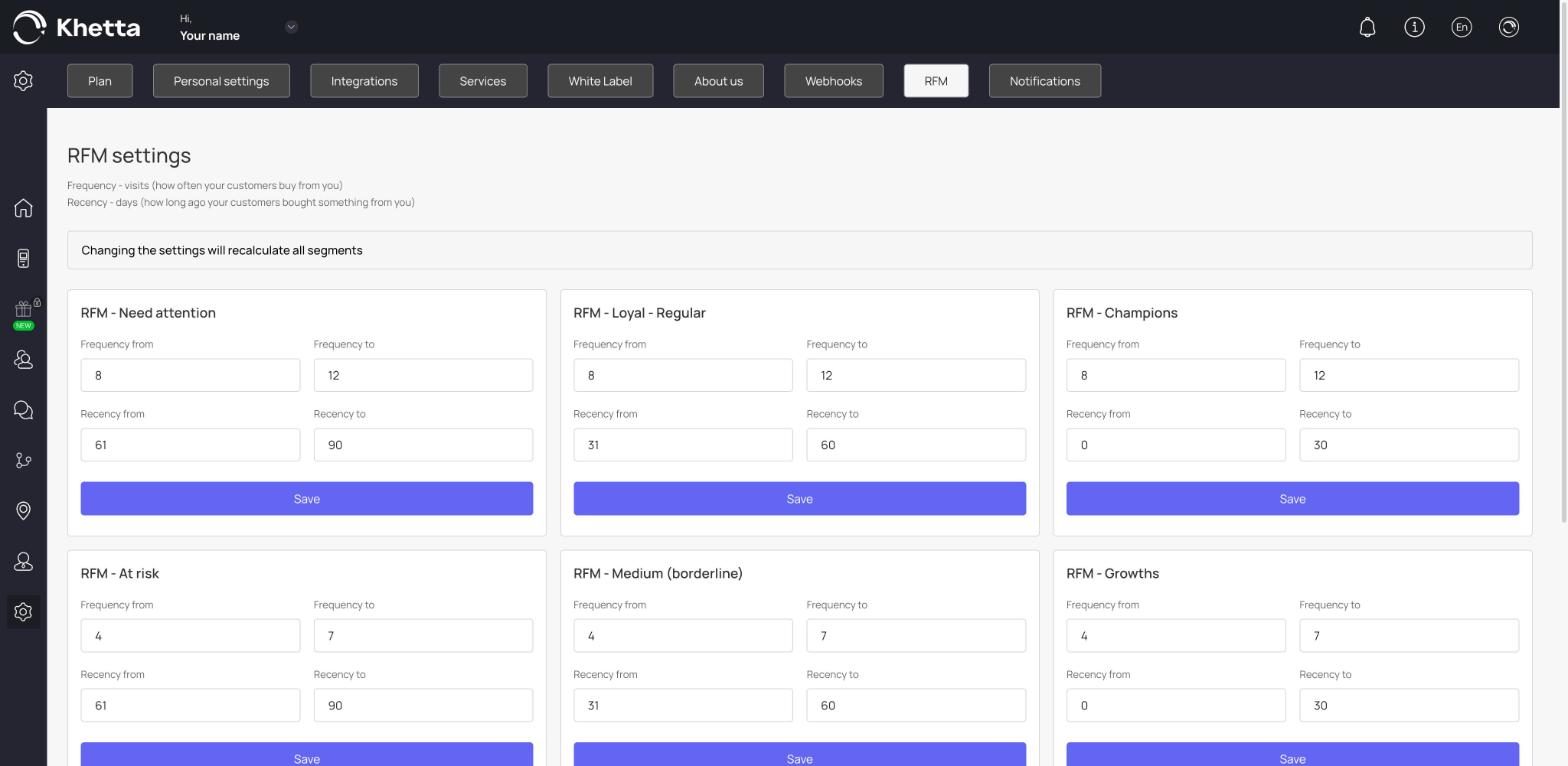
This page sets the rules for the nine RFM segments. There are two measures:
- Frequency (visits): how often your customers buy from you.
- Recency (days): how long ago they last bought something.
For each segment (Need attention, Loyal – Regular, Champions, At risk, Medium (borderline), Growths, Sleeping, Doubtful and Beginners) you set four numbers: Frequency from, Frequency to, Recency from and Recency to. Click Save under a segment to apply it.
When to change them#
The defaults suit a business where customers come about weekly. Change them if your customers visit at a different pace:
- A cafe or lunch spot: keep the defaults, or shorten the recency ranges.
- A barber or salon: customers visit every few weeks, so use longer recency ranges.
- A car service: customers visit a few times a year, so use much longer ranges and lower frequency.