Customer filters and segments
Build groups of customers with filters, and use the ready-made groups.
Filters let you pick out exactly the customers you want, for example everyone who is one stamp away from a reward, or everyone who joined last month. You can then message that group.
Where: Customers, above the customer table.
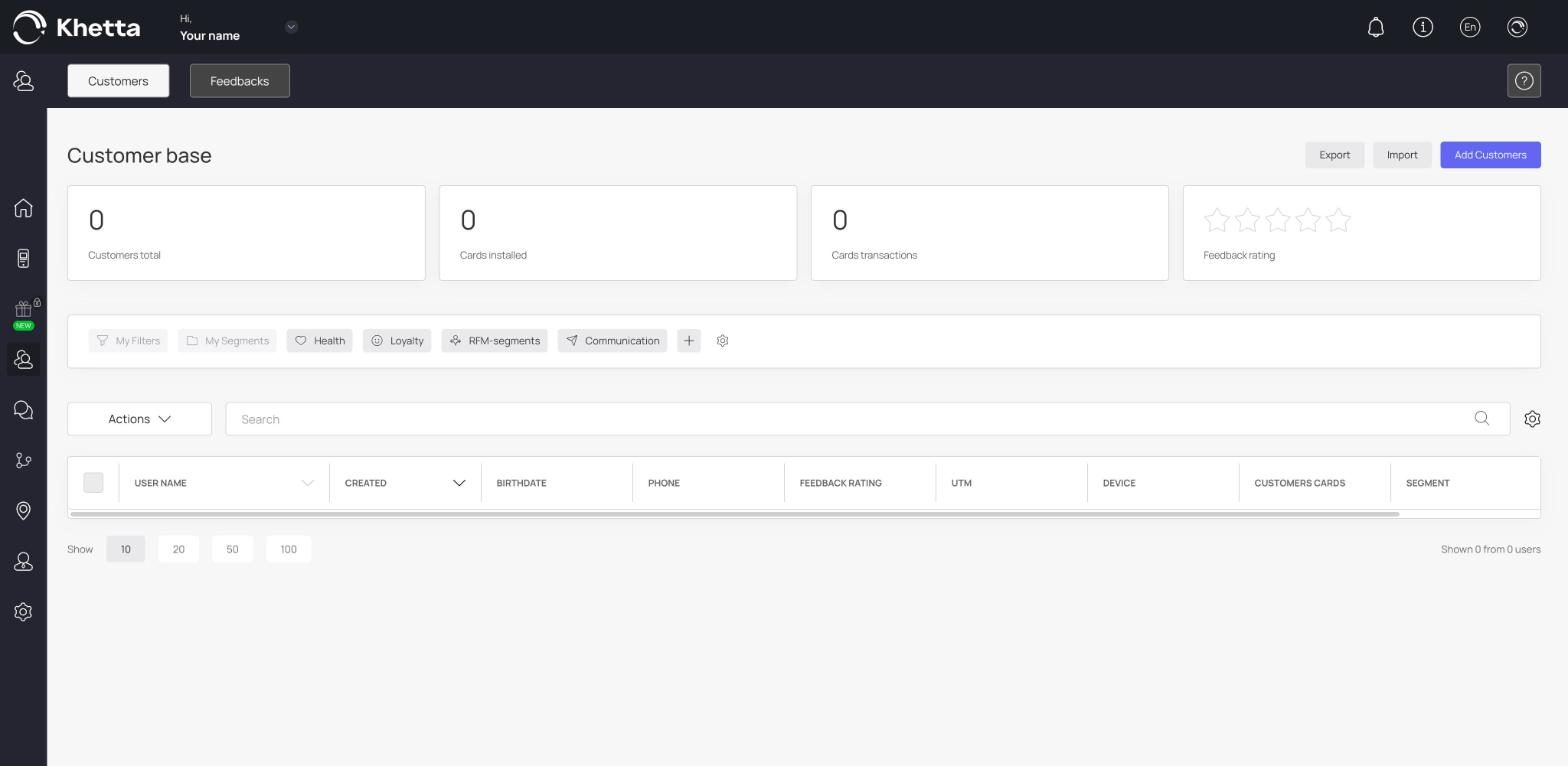
My Filters#
Build your own. You can filter by:
- Card balance
- Device type
- Card serial number
- Card status
- UTM tag
- Current number of uses
- Registration date
- Gender
- Name
- Phone
- Unused rewards
- Number of stamps
- Customer birthday
Each filter can compare to a value (equal, not equal, more than, less than), cover a range (for example from one date to another) or match any value from a list. You can combine filters with AND and OR.
Example: Number of stamps equals 7 AND Card status is installed finds installed customers one stamp away from a reward on an 8-stamp card.
My Segments#
Your saved groups of customers, so you can reuse a group without building the filters again.
Ready-made groups#
Health: finds gaps in your data.
- Card status not installed
- Unknown gender
- Empty birthday
Loyalty: tells you how customers hold the card.
- Card status installed
- Apple Wallet
- Wallet passes
- Google Pay
- PWA
RFM-segments: groups customers by how recently and how often they visit. See RFM segments.
Communication and Actions: more ready-made groups you can pick from the same menu. The list grows as the platform adds features.
Ideas for useful groups#
- Not installed. Customers who signed up but did not add the card. Send them the install link.
- One stamp from a reward. A nudge to come in this week.
- Sleeping or at risk (RFM). Customers who stopped coming. Send a "we miss you" offer.
- Birthday this month. Plan an offer for them.